Notes from the team on craft, formats, and the small decisions behind a good result.
Why AVIF input is fast but AVIF output is slow
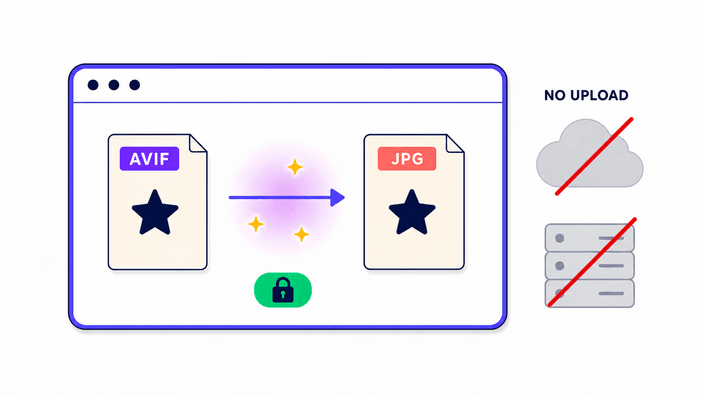
One of the most common misreadings of AVIF is that it is always slow. Decoding AVIF is fast. The browser's native AVIF decoder, present in Chrome since version 85, Firefox since 93, and Safari since 16.4, runs in compiled native code with no JavaScript overhead. For a typical web-sized AVIF, native decode takes tens of milliseconds. Encoding AVIF is a completely different job. The codec's compression tests many prediction modes per block and runs expensive rate-distortion passes. When this site outputs AVIF, on the JPG to AVIF page, it uses a heavy software encoder. When it inputs AVIF, on this page, it uses the fast native decoder, with no module to download, no warm-up, and no several-hundred-millisecond init. That is exactly why AVIF to JPG conversion feels fast even though JPG to AVIF takes seconds.
The transparency problem in detail: alpha, compositing, and white fill
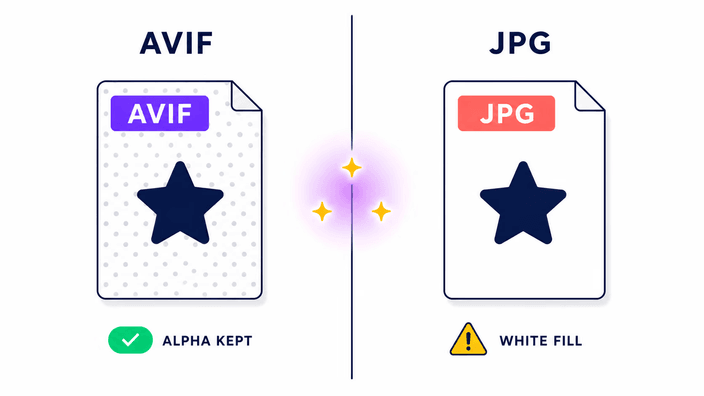
AVIF's transparency layer stores per-area opacity from 0, fully see-through, to 255, fully opaque. When the browser draws the AVIF onto a drawing surface and then encodes that surface as JPEG, the compositing step has to resolve each area's final colour. The surface starts as transparent black by default. The JPEG output path then fills the surface background with white before encoding, because JPEG must produce a fully opaque result. So every transparent region in your AVIF becomes white in the JPG. Partly transparent areas are composited onto white, so a region at 50 percent opacity lands halfway between its own colour and white. There is no setting to change this fill without drawing the compositing yourself onto a surface with a custom background, which is a job for an editor, not a converter.
Quality measured: what 43.66 dB PSNR means in practice
PSNR, Peak Signal-to-Noise Ratio, is measured in decibels and shows how closely a re-encoded image matches its source. Higher is better. In our end-to-end test run, the JPEG writer used here produced 43.66 dB PSNR on a standard photographic test image at the default quality. For reference, 36 dB is usually described as the threshold below which differences become clearly visible to most viewers under normal conditions, and 40 dB is generally rated perceptually transparent for photographic content. At 43.66 dB the output is visually identical to the source for photos viewed on screens at typical sizes. For graphics with sharp edges, fine text, or areas of extreme contrast, faint JPEG artifacts may show, since JPEG's block-based compression treats those regions differently from smooth photographic gradients.
AVIF compatibility: where it works and where it still fails
As of mid-2026, AVIF decodes in all major browsers, but compatibility with non-browser software is still patchy. On Windows, the AVIF Image Extension from the Microsoft Store adds support to Photos and File Explorer on Windows 10 and 11, and without it AVIF files appear as blank icons. Adobe added AVIF support in Lightroom 13.3 in 2024 and Photoshop 23.2 in 2022, so earlier versions cannot open it. Affinity Photo 2.3 from 2023 supports AVIF import and export. Paint.net needs the AVIF plugin at no cost. On macOS, Preview has read AVIF since Monterey. On phones, the system photo viewer supports AVIF on iOS 16 and Android 12 and later. The gaps are real and concentrated in enterprise tools, upload forms, and print workflows, which are exactly the situations where converting to JPG is the practical answer.
AVIF versus HEIF: the difference and why it matters
Both AVIF and HEIF, the High Efficiency Image File Format, store images using modern video codec compression. HEIF typically uses its own engine, while AVIF uses a newer, without licensing fees codec. The key distinction for web use is licensing. The codec behind HEIF carries per-device royalties that browser makers are reluctant to pay, which is why Safari supports HEIF but Chrome does not. The codec behind AVIF is without licensing fees by design, built by an industry alliance that includes Google, Mozilla, and Apple. That is why AVIF enjoys broader browser support than HEIF despite HEIF being the older format. iPhones have captured photos as HEIF since the iPhone 7, and those files carry a .heic extension. HEIC to JPG conversion is a different tool category from AVIF to JPG. This converter handles AVIF input only, so if you have a .heic file from an iPhone, you need the HEIC to JPG converter instead.
When to keep AVIF and when to convert to JPG
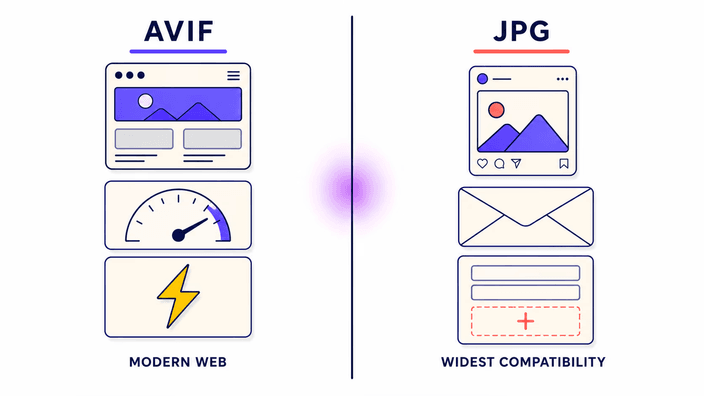
A useful rule: keep AVIF when you control both ends of the workflow, and convert to JPG when the file has to pass through a system you do not control. If you are delivering images on a site you built, with a CDN that supports format negotiation, AVIF is the better choice, being lighter, visually equal, and now covering 94 percent of browser traffic. If the image is heading into an email newsletter, a social upload, a form submission, a client-supplied print template, a shared folder others open on older software, or any legacy content system that validates file types, JPG is the safer choice. The practical pattern for most web projects is to store AVIF originals and produce JPG exports on demand for any situation that needs universal compatibility.