Loading your files…

Convert PNG to WebP

Convert PNG to WebP with transparency preserved and a smaller file size.

or drop the image here

How to convert PNG to WebP

How to convert PNG to WebP

Drop a PNG onto the upload zone, or click to pick a file from your device. The conversion starts the moment the file lands, with no Convert button to press. The result appears in well under a second for typical images. When it is ready, the Download button saves the WebP using the original filename with the extension changed. Converting one image runs on your device, while converting several at once sends them to our server. The same code path works on desktop and mobile browsers without any app install. To convert another image, drop the next PNG. An animated PNG is processed as a single still frame from the first image in the sequence.

Transparent pixels pass through to WebP

Transparent pixels pass through to WebP

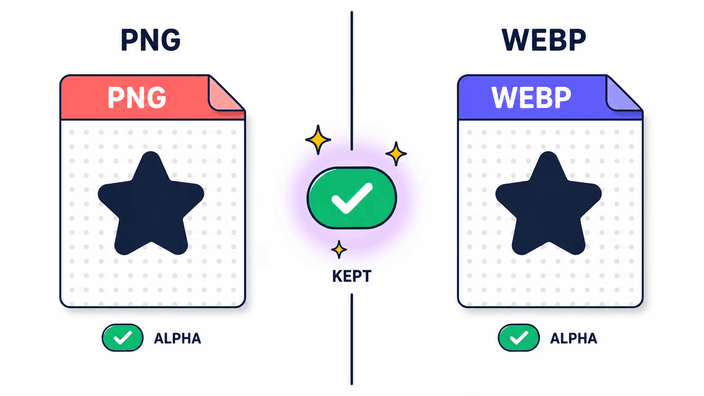
WebP supports full transparency, which means every transparent area in your PNG stays exactly as transparent in the WebP output. Nothing is filled with white, no halo appears around cut-outs, and no editor touch-up is needed afterward. This is the defining reason to choose WebP over JPG when converting from a PNG with transparency, since JPG cannot carry transparency and must replace transparent areas with a solid color. Logos, icons, product cut-outs, UI mockups, screenshots with rounded corners, and any image that relies on a see-through background all transfer intact. There is no toggle to enable transparency preservation. It is automatic because WebP is designed to carry full transparency.

Reasons to switch from PNG to WebP

Reasons to switch from PNG to WebP

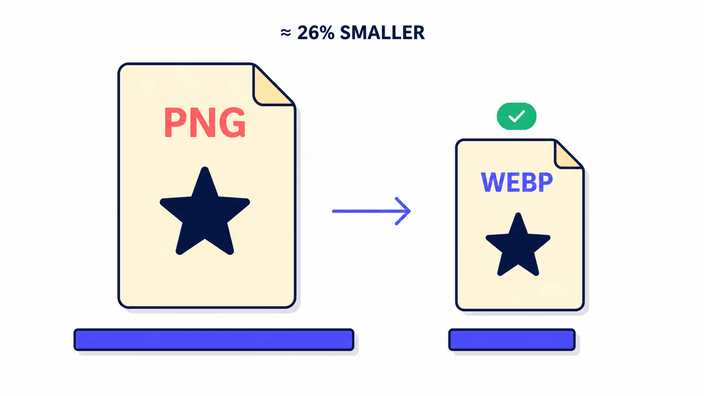
WebP was designed as a successor to PNG and JPG for web delivery, and it achieves better compression by combining two distinct compression modes. The exact-copy mode is better than PNG's compression algorithm by about 26 percent on typical images, per Google's benchmark. The compressed mode with transparency is roughly three times smaller than a comparable PNG, making it the format of choice when you need both a smaller file and a see-through background. Web performance tools notice this directly. Largest Contentful Paint, one of Google's Core Web Vitals and a known ranking signal, improves when your largest image loads faster. Switching large PNG assets to WebP is one of the most direct ways to move that number. All major browsers have supported WebP natively since 2020, so there is no compatibility concern for current audiences.

Quality settings and the size trade-off

Quality settings and the size trade-off

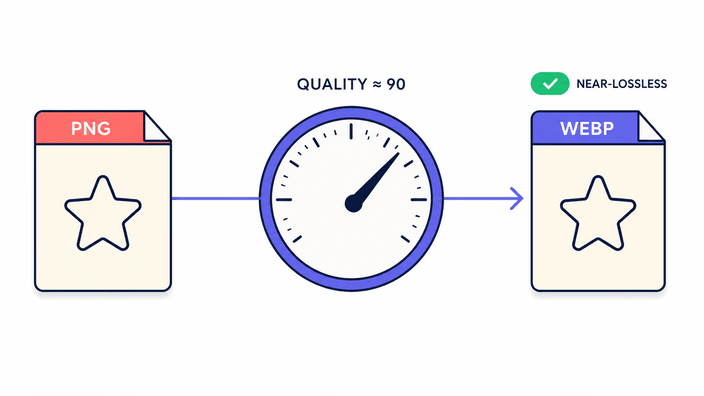
WebP gives you a quality dial from 0 to 100, where higher values preserve more detail at the cost of a larger file. RoundCut encodes at a fixed setting near the top of that range, chosen to balance visual fidelity against file size for typical web assets: photographs, UI graphics, and icons. At this setting, size reductions on photographs typically land between 50 and 70 percent compared to the source PNG, on top of the structural advantage WebP already has over PNG. For graphics with large flat-color areas, the reduction is even larger. If you need a perfect byte-for-byte copy that can be decoded back to identical values, keep your original PNG and treat the WebP as the delivery copy. The source PNG is never changed by the conversion, only the exported WebP changes.

Where your PNG is processed

Where your PNG is processed

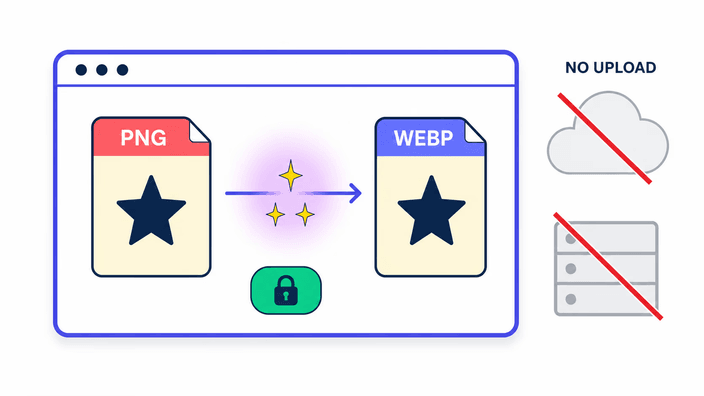
The path depends on how many files you convert. A single PNG is converted on your device using the browser's built-in image engine, with nothing uploaded. You can verify this by watching your network panel while you convert one image and confirming zero outbound requests carry it. Convert several PNGs in one go and they are sent to our server, which converts them together and returns one download for you. That result is deleted from our server within about 2 hours, and you can also delete it yourself the moment you have saved it. So a single conversion stays entirely on your device, and a batch is handled on our server only long enough to build your download.

When the original PNG is still the right choice

When the original PNG is still the right choice

WebP is widely supported but not universally accepted in every context. Some design tools, print workflows, and internal content-management systems still require PNG. Some operating systems handle PNG drag-and-drop natively where WebP needs a plugin. For working files you will open and edit repeatedly in a desktop application, keeping the without quality loss PNG as the master prevents any accumulation of decode-and-re-encode cycles. Use WebP as the export format for web delivery and keep the PNG as the source. If you need to go the other direction and turn a WebP back into PNG, the webp-to-png tool handles that conversion.

How it works

  1. Drop or pick your PNG

    Drag a PNG file onto the upload area or click to open a file picker. Any transparent areas in the PNG will be preserved in the output. Converting one image runs on your device, while dropping several at once sends them to our server to process together.

  2. Wait for the automatic conversion

    The browser encodes the WebP the moment the file loads. For most images at screen resolution, the result appears in well under a second with no button to press.

  3. Check the output size

    The Download button shows the output file size. Transparent areas remain transparent in the WebP, and the file should be noticeably smaller than the source PNG.

  4. Download the WebP

    Click Download to save the file. The original filename is kept with the extension changed to .webp. To convert another PNG, drop it onto the page, and each file runs independently.

Related converters

If you need the reverse direction or want to explore other format options, these tools are ready.

Frequently asked questions

Will transparency be preserved when converting PNG to WebP?

Yes. WebP supports a full transparency support, so transparent areas in your PNG stay transparent in the WebP output. This is the main reason to choose WebP over JPG when starting from a PNG, since JPG has no transparency and must flatten transparency to a solid color, while WebP keeps the cut-out exactly as it was. Logos, icons, product images, and UI assets with transparent backgrounds all pass through the conversion intact with no extra steps.

Why convert PNG to WebP?

Smaller files without losing transparency or visual quality. Per Google's WebP documentation, exact-copy WebP is about 26 percent smaller than equivalent PNG, and compressed WebP with transparency can be roughly three times smaller. Smaller images improve page load speed and directly help Largest Contentful Paint, a Core Web Vitals metric and a known Google ranking signal. PageSpeed Insights flags PNG as a next-gen format opportunity in its image audit. Browser support is universal across Chrome, Firefox, Safari, and Edge.

Does converting PNG to WebP lose quality?

At the near-exact setting used by this tool, photos and graphics are visually indistinguishable from the source PNG at normal viewing sizes. WebP at this setting is technically compressed, meaning some bit-level precision is traded for a smaller file. For typical web use, including logos, icons, and photographs, that difference is not visible. For precision or archival work, keep the original PNG and treat the WebP as the delivery export. The source PNG is not modified by the conversion, it remains unchanged on your device.

How much smaller is WebP than PNG?

Per Google's official WebP documentation, exact-copy WebP is around 26 percent smaller than an equivalent PNG, and compressed WebP with an transparency support is roughly three times smaller than a comparable PNG. The exact ratio depends on image content, where graphics with large transparent areas and solid-color regions see the biggest gains, while highly detailed photographs see smaller but still meaningful reductions. Either way, the WebP is smaller and the transparency is preserved.

Is it safe to convert PNG to WebP here?

It depends on whether you convert one image or several. A single PNG is converted on your device with no upload, which you can confirm by watching your network panel during the conversion and seeing no outbound image request. When you convert several at once, they are sent to our server to be processed together, and that result is deleted within about 2 hours, with an option to delete it yourself as soon as you download it. Either way, nothing about your image is kept on any server beyond building your download.

Does WebP work in all browsers?

Yes. WebP is supported natively in Chrome, Firefox, Safari, and Edge, covering the substantial majority of browsers in active use. Support has been universal since Safari 14 in 2020. If you are building for an audience that might include very old browsers or embedded webviews, PNG remains the safest choice. For any audience using current browsers from the past five years, WebP works reliably. You can verify per-browser support on the caniuse.com WebP entry.

The details

Notes from the team on craft, formats, and the small decisions behind a good result.

How WebP achieves smaller sizes than PNG
WebP uses two distinct compression modes. The exact-copy mode combines spatial and color prediction with an entropy coding stage that is more sophisticated than PNG's DEFLATE, achieving compression ratios roughly 26 percent better on typical images according to Google's published benchmark. The size-reducing mode applies a block-based transform similar to video compression, designed to discard perceptually irrelevant information while preserving what the eye actually sees. For images with an transparency support, WebP uses a separate no-loss sub-compression for the transparency data while applying size-reducing compression to the RGB data, which is why compressed WebP with transparency can be roughly three times smaller than a PNG at equivalent visual quality. PNG's DEFLATE is without quality loss-only and cannot take advantage of the perceptual trade-off that the size-reducing mode exploits. The format difference explains the gap.
Transparency in detail
Both PNG and WebP support 8-bit transparency transparency, meaning each detail can hold an opacity value from 0 (fully transparent) to 255 (fully opaque). When re-encoding a PNG to WebP, the engine reads every color value and passes the transparency values into the WebP compression step. Those transparency values are preserved with no-loss compression, independent of how the color data is encoded. The result is that fully transparent areas, semi-transparent areas, and fully opaque areas all map to the exact same state in the WebP. For a logo with soft drop-shadows or anti-aliased text on a transparent background, the edge smoothness survives intact. JPG has no transparency field in its format specification and must fill transparent areas with a background color before encoding.
Core Web Vitals and image format choice
Largest Contentful Paint measures how long it takes for the largest visible element on the page to appear in the viewport. For most content pages, that element is the hero image, and Google uses LCP as a ranking signal in its Core Web Vitals assessment. PNG images are a consistent source of LCP failures. A photographic PNG at 4K resolution can weigh several megabytes, while the equivalent WebP at near-exact quality is typically a fraction of that. PageSpeed Insights flags this specifically in its serve-images-in-next-gen-formats audit item, listing PNG as the target format to replace. Converting PNGs that appear in critical render paths to WebP is one of the highest-leverage single changes for improving measured page performance. The browser support timeline makes this safe, with Chrome adding WebP in 2011, Firefox in 2019, Safari in 2020, and Edge from its Chromium rebuild.
Compressed output and the near-exact setting
WebP encoding offers a quality parameter from 0 to 100, where higher values preserve more detail at the cost of larger files. This tool encodes at a fixed near-exact setting tuned to balance visual fidelity against file size for the typical web asset categories of photographs, UI graphics, and icons. At this setting, the output is perceptually indistinguishable from the source PNG at normal screen viewing distances. Technically, some bit-level precision is lost relative to a true without quality loss encode, which means a byte-level comparison between the decoded WebP pixels and the original PNG pixels will show small numerical differences. These differences are below the threshold of human perception for photographic content. For medical imaging, satellite photography, or archival preservation, fidelity without any loss is a hard requirement. In those cases, keep the PNG as the working copy and use WebP only as a delivery export.
Metadata behavior
The pipeline used for PNG-to-WebP conversion strips EXIF, IPTC, and XMP metadata from the output. This matches the behavior observed across all three major browser engines. ICC color profiles are handled inconsistently, where Chrome and Safari preserve the sRGB ICC profile tag in WebP output and Firefox strips all metadata including the ICC profile. The net result is that the converted WebP is sRGB-safe across browsers, but any wide-gamut tagging such as Display-P3, Adobe RGB, or ProPhoto RGB present in the source PNG will not survive in Firefox. For color-critical professional workflows, this inconsistency matters. If the final output needs color profile fidelity, convert with a tool that explicitly writes ICC data. Or apply the profile tag as a post-processing step using a dedicated metadata editor.
When to keep PNG and when WebP is sufficient
The practical decision tree is short. If the image's final destination is a web page or web application, and the rendering environment is any browser from 2020 onward, WebP is the right export format. If the image needs to open in a design application like Figma, Sketch, or Affinity Designer, verify WebP support in the specific version you use. Support varies across versions. If the image will be used in a print workflow, PNG or TIFF is preferred since most print RIPs do not handle WebP. If the image will be sent in email, PNG is safer since email clients are notoriously inconsistent with modern formats. If the image will be used as a working file that gets edited and re-saved multiple times, keep the PNG as the master. WebP at near-exact quality is an excellent delivery format, and PNG is the better archival and editing format. The ideal workflow keeps the PNG as the original and exports to WebP for web delivery.