Loading your files…

Choose your crop

Circle, rectangle, or platform preset — pick the type that fits. Your image stays in your browser.

Which crop type do you need?

Which crop type do you need?

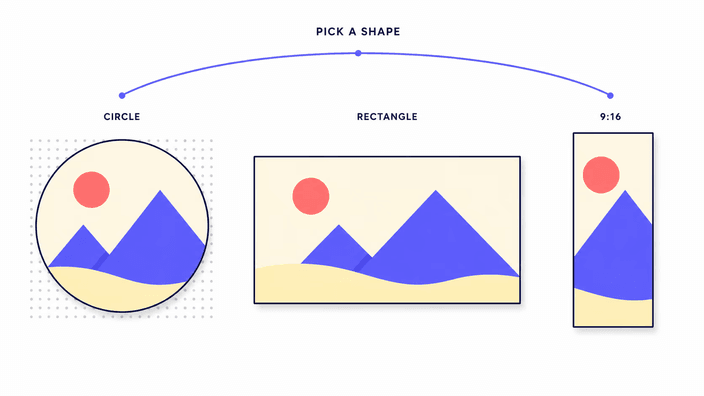
The shape you reach for depends on where the image is going. A round cut-out suits anything that shows up inside a circle — profile pictures, team avatars, contact thumbnails — and it leaves the corners transparent so the photo sits flat against any background without a white border. A free rectangle is the everyday choice for tightening a shot, removing a distraction at the edge, or re-centring the subject. When an upload form expects exact measurements, a fixed ratio or a named social-media size handles the math for you, keeping the proportions locked so the result lands correctly. Pick the one that matches the destination and the rest is a single drag.
How cropping works in your browser

How cropping works in your browser

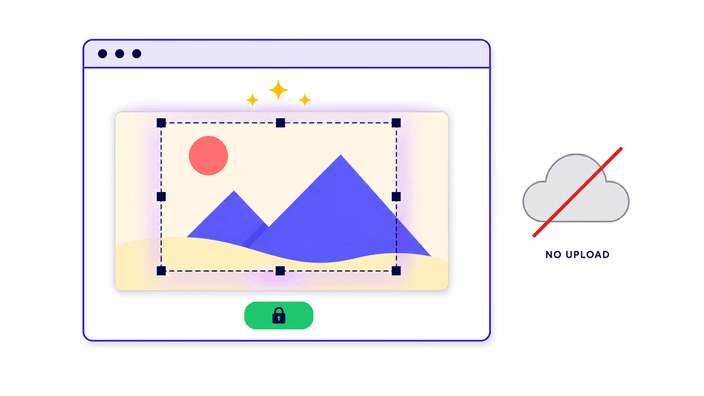
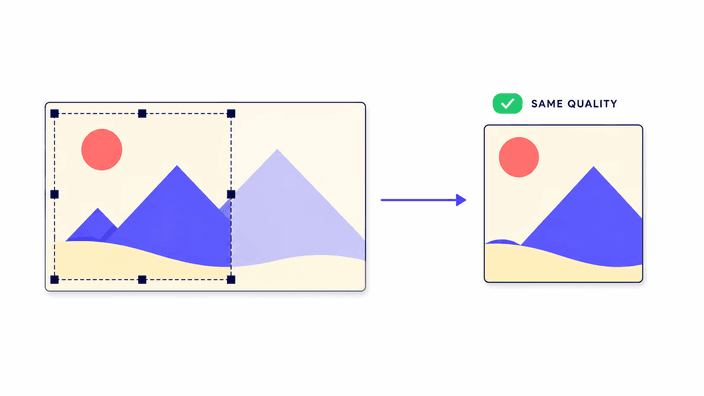
The crop runs locally from start to finish. When you open a file, the browser opens and processes the image in your device's memory, you mark the area to keep, and that region is reconstructed and saved as a fresh file to download. The photo is cropped right there, immediately, with no upload queue and no wait for a server response. That keeps the flow fast and is especially practical for ID photos, screenshots, or any image you would rather handle directly on your device without passing it through a third-party service. The /privacy/ page explains how files are managed.

Does cropping affect quality?

Does cropping affect quality?

Cropping does not blur or soften the image. You are keeping a section of the original at its native detail level and discarding the rest, so what stays looks exactly as it did before. The one thing to watch is final size: the crop is smaller than the source, so stretching a small crop to fill a large frame can look soft simply because there is less detail to cover that area. Crop close to the size you will actually display and the result stays sharp. Saving as PNG keeps every detail and any transparency. JPG trades a small amount of fidelity for a lighter file.

What format should I save my crop?

What format should I save my crop?

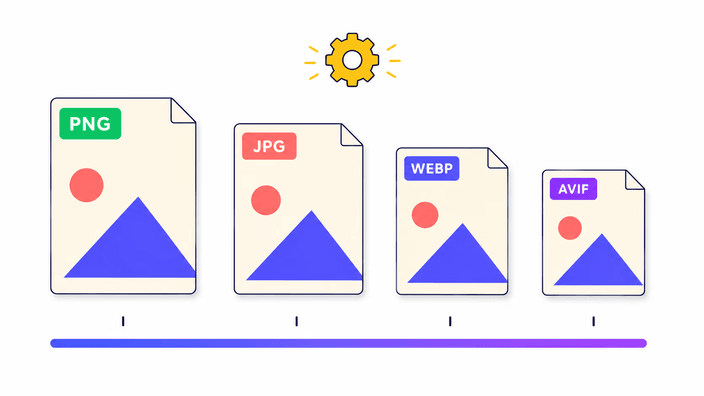
Match the format to the job. PNG is the right choice when the crop has transparent areas — a circular avatar above all — because it preserves the see-through corners the round shape leaves behind. It also keeps full detail, at the cost of a heavier file. JPG is the right call for rectangular photo crops headed for the web, where a smaller file loads faster and the slight trade in fidelity is invisible at normal viewing sizes. WebP sits in between, smaller than PNG and sharper than JPG at the same size, and supported across current browsers. When in doubt, PNG for round or detail-heavy crops, JPG for everyday photos.

Crop vs resize vs compress

Crop vs resize vs compress

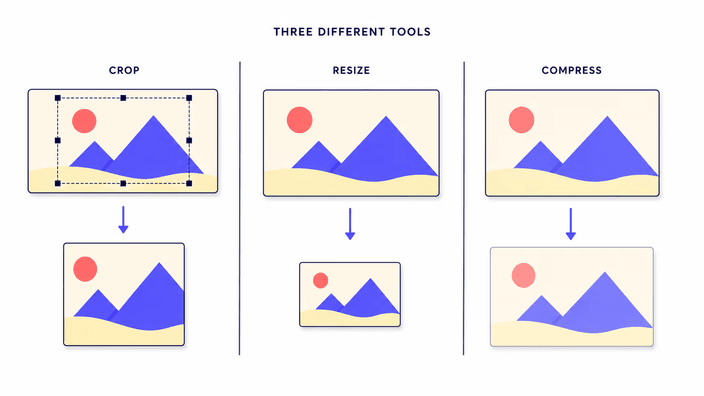
These three get confused but they solve different problems. Cropping changes what the image shows by cutting away part of the frame — the composition changes, and what remains keeps its original detail. Resizing keeps the whole image and changes its dimensions, useful when something needs to be a specific width or height. Compressing keeps both the framing and the dimensions and only shrinks the file on disk by storing it more efficiently. Often you want more than one: crop first to fix the framing, then resize or compress for the final destination. Each lives in its own tool so you chain them in whatever order the task needs.

Crop for social media and fixed ratios

Crop for social media and fixed ratios

Every platform has its preferred dimensions, and uploading the wrong proportions means white bars, automatic trimming, or a stretched result. Fixed ratios like 1:1 for square profiles, 16:9 for covers and video thumbnails, and 9:16 for stories lock the selection to the right proportion while you adjust what appears inside. Social-media presets go a step further: the crop box opens at the exact dimensions each platform expects, so you skip the number lookup entirely. You frame what you want to show and download an image that uploads cleanly, without the platform auto-cropping your subject.

How it works

  1. Choose the crop type

    On the page grid, select the shape you need: round, free rectangle, or fixed ratio for a social-media platform. Each option opens the corresponding tool.

  2. Open your photo

    Drag the image onto the tool or tap the upload area to select it from your device. PNG, JPG, WebP, AVIF, and GIF are all accepted.

  3. Frame the region

    Move and resize the crop box over the part of the image you want to keep. For a fixed ratio, the box moves while holding the locked proportion.

  4. Choose the output format

    Select PNG to preserve transparency — the recommended choice for circular crops — or JPG for a lighter file headed for the web.

  5. Download the result

    Click download and the cropped file is saved directly to your device, ready to use.

Other adjustments to get the image ready

Cropping is often one step in a larger flow. Reduce the file size after cropping, change the dimensions, or convert the format to match the destination.

Frequently asked questions

Does cropping reduce image quality?

Not by itself. Cropping keeps a section of the original image at its native detail level. The only scenario where quality drops is if you then enlarge a small crop to fill a much larger frame — the image then has less detail to cover more area. Crop close to the size you plan to display and the result stays sharp.

Is it safe to crop images online?

Here it is, because nothing is uploaded. The crop runs inside your browser — the image is opened locally, never sent to a server, and cleared from memory when you close the tab. That makes it a good fit for private material such as ID documents, medical scans, or personal screenshots. See the /privacy/ page for full details.

Which crop shape should I use?

Let the destination decide. Use a circular crop for anything that displays in a round frame, such as profile pictures and avatars — it produces a transparent-background PNG without white edges. Use a free rectangle to retrim or recompose a photo. Use a fixed ratio or a social-media preset when the upload needs exact proportions so the result is not stretched or trimmed by the platform.

Can I crop a photo into a circle?

Yes. The circular crop produces a round image with a transparent background so the result sits inside any round frame without white corners. Save as PNG or WebP to keep the transparency. If you save as JPG the transparent corners fill with a solid color, since that format does not support transparency.

How do I crop an image for Instagram?

Use the social-media preset for the format you need: 1:1 for feed posts, 9:16 for stories and reels, or 4:5 for portrait posts. The crop box opens at the dimensions Instagram expects, so you adjust the frame until the subject is positioned the way you want, then download. No manual number entry needed.

Can I crop multiple images at once?

Each crop is one image at a time, because the framing is a manual choice that is rarely the same from photo to photo. Open one, position the crop, download it, then move to the next. There is no upload step between them, so working through a small set stays fast.

What image formats can I crop?

PNG, JPG, WebP, AVIF, and GIF. For animated GIFs, only the first frame is cropped. You can save the result as PNG when you need transparency or full detail, or as JPG for a lighter file. Pick the input you have and choose the output that fits where the crop is going.

Does the tool upload my files?

No. Your file is opened, cropped, and returned entirely on your own device, with no server call at any stage. Nothing is sent away, no copy is left online. You can confirm this in your browser's developer tools: the Network tab will show zero outbound requests while you crop.

The details

Notes from the team on craft, formats, and the small decisions behind a good result.

Why cropping does not blur your image
When you crop a photo you are selecting a section of the original image and discarding the rest. None of that detail is altered, interpolated, or recreated during the process — what you see in the crop is exactly what the camera or app recorded in that region. Perceived softness only appears in one specific scenario: when the cropped area is small and you then enlarge it significantly to fill a large space, the existing detail has to be spread across a bigger area and the image can look less defined. The practical solution is to crop close to the final display size. If the image will appear 800 points wide, a crop at 900 points works well, but a crop at 200 points stretched to 800 will look soft. The crop operation itself degrades nothing.
Choosing the right ratio for each platform
Each platform handles image uploads differently, and uploading the wrong proportions results in automatic trimming that may cut out exactly what you wanted to show. The 1:1 square is the standard for profile pictures and feed posts on many platforms because it works equally well in wide and thumbnail views. The 16:9 ratio is the default for covers, banners, and video thumbnails where width dominates. 9:16 is the vertical format for stories and reels, designed for full-screen on a phone. Ratio locks fix the crop box to the correct relationship while you move and resize freely, without having to calculate width and height by hand. The result comes out in the format the platform expects, with no surprise trimming on upload.
Crop, resize, and compress: when to use each
The three operations change image files in distinct ways and often work together in sequence. Cropping removes part of the frame — the composition changes, but the detail that remains keeps exactly their original detail. Use it when the problem is what the image shows, not its size. Resizing changes the dimensions while keeping the whole image intact — use it when an upload field needs a specific width or when the image is too large for its space. Compressing reduces the file on disk without touching the dimensions or framing — use it when the image already has the right composition and size but is too heavy for email or slow to load. A typical sequence: crop, then resize, then compress.